Livestreaming has become one of the fastest-growing ways to reach audiences, whether you’re a creator, church, business or broadcaster. But viewers are spread across YouTube, Facebook, Twitch, Kick, X, LinkedIn, TikTok and many emerging platforms, so going live on only one channel often isn’t enough to stay visible. That’s where multistreaming platforms come in.
Multistreaming platforms let you go live on several platforms at the same time from a single stream. You send one feed, and the platform delivers it everywhere.
The best multistreaming platforms in 2026 are TVU Producer for professional multi-camera broadcasts, Restream for creators focused on cross-platform growth, and StreamYard for interviews and branded shows. Each one sends a single live stream to several destinations at the same time, such as YouTube, Twitch, Facebook and LinkedIn.
In this guide, we’ll cover:
- What multistreaming platforms are and why they matter
- The best multistreaming platforms this year: TVU Producer, Restream and StreamYard
- Other ways to multistream, including from your phone
- The platform rules to check before you go live
- How to choose the right tool and how to stream to multiple platforms at once
Whether you’re streaming IRL content, podcasts, sports, church services, webinars, or branded live events, this guide will help you choose the right multistreaming platform and reach more viewers with less effort.
What Is a Multistreaming Platform?
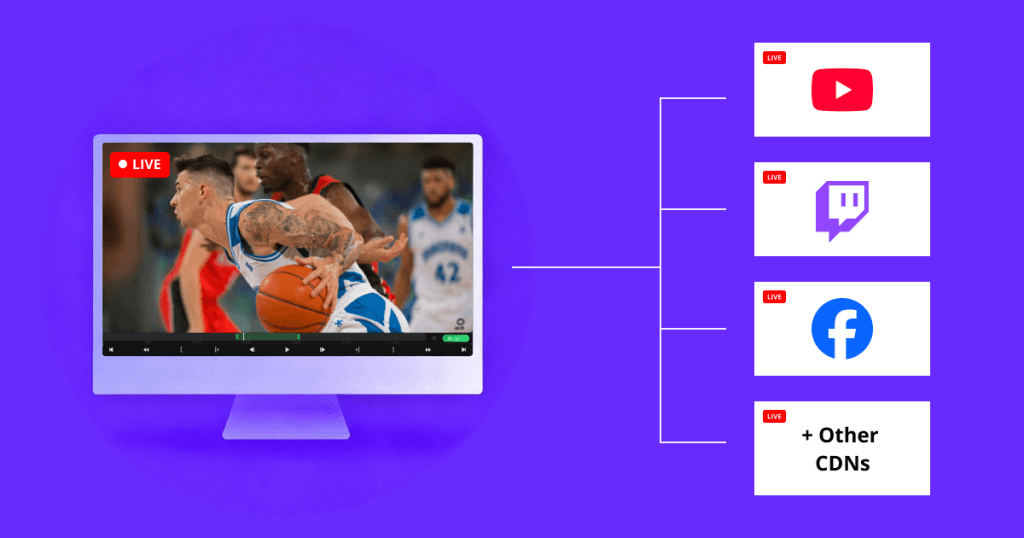
A multistreaming platform, also known as simulcasting software, lets you broadcast a single live stream to multiple destinations at the same time. Instead of creating separate streams for YouTube, Facebook, Twitch, X and other platforms, you send one stream, and the multistreaming software distributes it everywhere for you.
This makes it much easier to reach audiences across different platforms without extra work or extra hardware.
Why Multistreaming Platforms Matter in 2026
Audiences are no longer concentrated on one platform. Each platform has its own algorithm, culture and monetization options, and to grow efficiently, creators and broadcasters need to reach people where they already watch.
Cloud-based multistreaming platforms make this practical. Instead of encoding and uploading a separate stream from your computer for each platform, which multiplies the bandwidth you need, cloud multistreaming sends one stream to the cloud and distributes it everywhere for you.
Benefits of Multistreaming
- Reach more viewers at once: go live on several platforms with one stream and reach audiences you wouldn’t find on a single channel.
- One upload, not one per platform: with cloud multistreaming, you send a single stream and the cloud creates a copy for each destination, so your upload stays the same as streaming to one platform.
- Stable delivery: the cloud keeps a separate connection to each platform, and some services show a backup screen during short drops so your stream doesn’t end.
- Engage different audiences: each platform has its own community, and many multistreaming tools bring all the chats into one place so you can reply in real time.
- More ways to earn: collect ads, subscriptions and gifts on several platforms during the same stream. Check each platform’s rules first, since some reduce payouts or limit simulcasting.
- Settings for each destination: some platforms let you edit titles and descriptions per destination, and some output landscape and portrait versions at the same time.
- Works at any production size: multistreaming happens after your production, so the same workflow works for a single camera or a multi-camera sports broadcast.
For most creators and broadcasters, multistreaming is now the simplest way to grow on several platforms at once, as long as your upload is stable and you follow each platform’s rules.
The Best Multistreaming Platforms in 2026
Many tools can multistream, but a few stand out for their reliability, ease of use and the type of production they support. These three are the strongest options in 2026, each for a different kind of user:
- TVU Producer for professional multi-camera broadcasts
- Restream for creators who want simple cross-platform growth
- StreamYard for interviews, church services and branded live shows
| Platform | Best for | Standout feature | Platforms |
|---|---|---|---|
| TVU Producer | Professional multi-camera broadcasts | Switching, graphics and captions in the cloud | Web browser |
| Restream | Creators growing across platforms | Chat from all platforms in one place | Web browser |
| StreamYard | Interviews, panels and branded shows | One-click guest invites | Web browser |
1. TVU Producer — Best for Professional, Broadcast-Quality Multistreaming
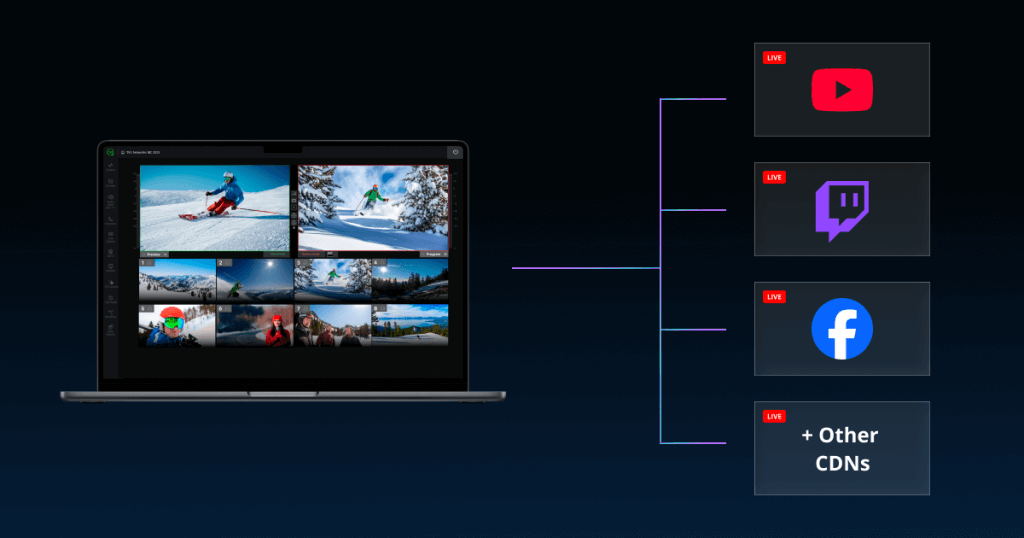
TVU Producer is a strong choice for anyone who needs broadcast-quality production and cloud multistreaming in one tool. Unlike simple simulcasting services, it works as a full cloud video switcher: you manage multi-camera inputs, add graphics and captions, and stream to multiple destinations, all from a web browser.
Why TVU Producer is One of the Top Multistreaming Platforms in 2026
- Complete cloud video switcher and multistreaming platform, 100% browser-based with no hardware required
- Up to 12 live inputs, including SRT, SDI and ST 2110
- Frame-accurate switching, graphics, overlays and AI live captions with TVU Transcriber
- Streams to social platforms and custom RTMP or SRT destinations
- Landscape and portrait output at the same time
- Built-in instant replay and remote commentary
- Seamless integration with TVU’s cloud ecosystem, including TVU MediaHub for multi-platform routing
TVU Producer is Ideal For:
- Broadcasters and media organizations
- Sports, news, and event producers
- Top creators producing multi-camera content
- Brands hosting webinars or virtual events
Limitations
- Built for professional productions: setup starts with a demo and pricing is pay-as-you-go with tokens, which is more than most solo creators need.
2. Restream — Best for Creators Who Want Cross-Platform Growth
Restream is one of the most popular multistreaming platforms for creators and small teams who want a simple way to go live on several platforms at once. It offers a browser-based studio with built-in layouts, chat aggregation and analytics, and it also accepts a feed from your own encoder, such as OBS.
Why Restream is One of the Best Multistreaming Platforms in 2026
- Easy browser-based live studio with branding and layouts
- Chat aggregation lets you monitor comments from all platforms in one place
- Direct integrations with YouTube, Twitch, Facebook, LinkedIn, and more
- Solid analytics for tracking cross-platform performance
- Works with your own encoder as well as its studio
Restream is Ideal For:
- Creators and influencers
- Small businesses streaming webinars or announcements
Limitations
- The free plan adds a watermark and limits how many destinations you can stream to.
- The studio is built for simple shows rather than multi-camera production.
Restream is ideal for creators who want straightforward multistreaming without the complexity of full production tools. It’s simple, accessible, and focused on helping streamers grow across platforms.
3. StreamYard — Best for Interviews, Panels & Simple Branded Streams
StreamYard is known for being one of the simplest live-streaming studios available. Its drag-and-drop interface makes it perfect for interviews, podcasts, and branded livestreams where bringing on guests is a core part of the show. Multistreaming is built in, so users can go live to multiple platforms with almost no setup.
Benefits of StreamYard
- Very easy-to-use browser studio
- Drag-and-drop layouts, banners, and branded overlays
- One-click guest invitations for interviews and panels
- Multistreaming to all major platforms (YouTube, Facebook, LinkedIn, Twitch, etc.)
- Minimal setup—great for users with small teams or no technical background
StreamYard is Ideal For:
- Churches and ministries
- Podcasts and interview shows
- Educators and trainers
- Small teams wanting a very simple workflow
Limitations
- The free plan adds a watermark and limits destinations.
- It’s built around guests and layouts rather than complex multi-camera production.
Other Ways to Multistream
If none of these three fits how you stream, two other options are common:
- A multistream plugin in OBS Studio: free, and you keep full control of your scenes, but your computer uploads a separate stream for each destination, so you need enough upload bandwidth for all of them.
- A mobile app with multistreaming built in: for creators who stream from their phone, some apps send one stream to several platforms without a separate service. TVU Go, for example, combines 5G, Wi-Fi and tethered phones into one stream with cellular bonding and goes live on up to five platforms at once. For a full phone setup, see our IRL stream setup guide.
Rules to Check Before You Multistream
Multistreaming is allowed on the major platforms, but some set conditions:
- Twitch: simulcasting is allowed as long as your Twitch stream is at least the same quality as your other streams and you don’t direct Twitch viewers to watch somewhere else.
- Kick: Partners must turn on Kick’s multistreaming setting, which reduces their payout while it’s active.
- Exclusive contracts: if you have one with any platform, its terms override these rules.
Rules change, so check each platform’s current terms before you go live.
How to Choose the Best Multistreaming Platform for Your Needs
Choosing the right multistreaming platform comes down to what you stream, how complex your production is, and how technical your team is. Here’s a breakdown to help you find the best fit.
Best option for Creators, Influencers & Businesses
If you want to grow your audience across multiple platforms while keeping your workflow simple, the priority is ease of use, quick setup, and built-in branding tools. Many creators and small business teams don’t have a dedicated technical producer—so the platform must be intuitive for anyone to operate.
Before you choose, compare:
- Destinations: how many platforms each plan lets you stream to at once
- Free plan limits: watermarks, destinations and streaming time
- Your own encoder: whether you can send a feed from OBS or a hardware encoder, or only use the built-in studio
- Guests and cameras: how many guests and live sources you can bring in
- Mobile support: whether you can go live from your phone
- Price model: monthly plans, usage-based pricing or a free plugin
Restream or StreamYard are usually the best match because:
- They offer simple, browser-based studios that anyone can learn in minutes.
- Chat from all platforms is aggregated into one interface, making engagement easy.
- Branding tools like overlays, banners, and layouts help streams look polished instantly.
- They support YouTube, Facebook, LinkedIn, Twitch, X, and other major platforms.
- Guests or presenters can join with a single link—no software download required.
Creators, small teams, and businesses often have limited technical skills or rotating staff. A multistreaming platform that “just works” ensures consistent, professional streams without requiring a production expert behind the scenes.
Best option for Sports, Broadcasters & Multi-Camera Events
Fast-moving productions need real-time camera switching, graphics, low latency and professional routing, which go beyond what creator-focused studios offer.
TVU Producer fits best because:
- It’s a full cloud video switcher with integrated multistreaming.
- Supports multi-camera workflows, graphics, captions, scorebugs, and overlays.
- Works entirely in the cloud—no hardware switcher required.
- Seamlessly integrates with TVU’s end-to-end cloud ecosystem
- Frame-accurate switching keeps fast action precise for sports, news and events.
- It lets producers and operators work from anywhere through a browser.
How to Stream to Multiple Platforms at Once
Streaming to multiple platforms takes just a few steps with a multistreaming platform:
- Choose your multistreaming platform: a cloud studio like TVU Producer for multi-camera shows, or a browser studio like Restream or StreamYard.
- Check each platform’s rules: make sure your plan and contracts allow simulcasting.
- Connect your destinations: log in to YouTube, Twitch, Kick, TikTok, Facebook or LinkedIn, or add a custom RTMP destination.
- Add your sources: a webcam or guests in a browser studio, or a feed from an encoder like OBS or a TVU transmitter.
- Customize each destination: add a title and description for every platform.
- Go live: start one stream, and the platform sends it everywhere at once.
Conclusion
Multistreaming has become one of the most effective ways to grow visibility when audiences are spread across so many platforms. With cloud tools, streamers of all sizes can reach more viewers without extra hardware or extra upload bandwidth.
TVU Producer, Restream and StreamYard stand out in 2026, each for a different need: professional multi-camera broadcasts, creator growth, and simple interview-based shows. Choose the one that fits your workflow, check each platform’s rules, and you’ll be able to stream everywhere your audience watches, all at once.
By choosing the platform that fits your workflow, you’ll be able to stream everywhere your audience watches—all at once.
FAQs About Multistreaming Platforms
What is the best multistreaming platform in 2026?
The best multistreaming platform depends on what you produce. For creators who want to reach several platforms with little setup, browser studios like Restream and StreamYard are the easiest start, and both offer free plans with a watermark and a limit on destinations. Restream also accepts a feed from your own encoder, such as OBS. For multi-camera shows, sports or broadcast work, TVU Producer combines multistreaming with a full cloud switcher, graphics, replay and captions. If you stream from your phone, an app with multistreaming built in saves you a separate service. Before you commit, compare how many destinations each plan includes, whether you can bring your own encoder, guest support and the price model.
Can I multistream from my phone?
Yes. Some mobile streaming apps send your stream to several platforms at once, and you can also stream from your phone to a cloud multistreaming service that copies it to each destination. Either way, upload one stream and let the app or the cloud make the copies, which matters on cellular. Check how many destinations the plan includes and whether the app keeps you live when the signal weakens. For IRL creators, TVU Go combines 5G, Wi-Fi and tethered phones into one stream and multistreams to up to five platforms at once.
Can I multistream with multiple cameras?
Yes. Mix your cameras into one program first, then send that program to your multistreaming service. You can switch cameras in OBS Studio on a computer, bring webcams and guests into a browser studio, or use a cloud switcher that receives cameras from anywhere and multistreams the result. TVU Producer does the switching and the multistreaming in one place, with up to 12 live inputs, graphics, replay and captions, and can output landscape and portrait versions at the same time. For more on switching between multiple cameras, see our multi-camera apps guide.
Does multistreaming use more bandwidth?
It depends on where the copies are made. With a cloud multistreaming service, you upload one stream and the service sends it to each platform, so your upload stays the same as a single stream. If your software uploads a separate stream for each platform, as a desktop multistream plugin does, your upload and data use multiply by the number of destinations: three destinations at 6 Mbps need about 18 Mbps of upload. On cellular or weak connections, use the cloud route.
Is multistreaming allowed on Twitch and Kick?
Yes, with conditions. Twitch allows simulcasting as long as your Twitch stream is at least the same quality as your other streams and you don’t direct Twitch viewers to watch somewhere else. Kick Partners must turn on Kick’s multistreaming setting, which reduces their payout while it’s active. Exclusive contracts with either platform override these rules. Once you’ve checked them, any multistreaming service, such as Restream, StreamYard or TVU Producer, can send the same stream to both channels.